


ImmiAccount Australia Login: Setup steps & Fixes
If you’re applying for an Australian visa, sooner or later you’ll run into ImmiAccount. It’s the system the Department of Home Affairs uses for almost everything online, from lodging a new application to uploading a passport scan or paying a visa fee. An immiAccount Australia login is really the front door to all of that. Get it wrong, or forget your details, and you can’t check what’s happening with your case, respond to a document request, or even see whether a decision has been made.
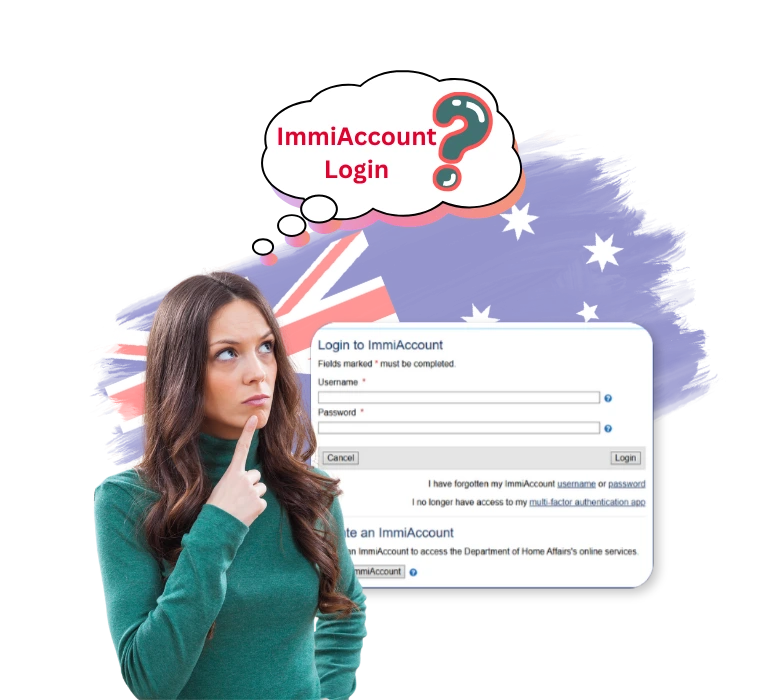
A lot of people end up searching for the correct immiAccount Australia login page because there are copycat sites out there, made to look just like the real thing, and it’s easy to land on the wrong one if you’re not careful. The genuine portal only sits under the homeaffairs.gov.au domain, and it always asks for a username, a password, and a one-time code from an authenticator app.
What Is ImmiAccount Australia?
ImmiAccount is the Department of Home Affairs’ own online portal. Instead of mailing in forms, applicants and organisations use it to apply for visas, citizenship, and sponsorships from a browser. Once your profile exists, an immiAccount Australia login takes you straight to a dashboard where you can submit forms, attach evidence, pay charges, and pick up any official messages the Department sends.
Nearly every visa type runs through this same system, whether it’s skilled migration, student visas, family visas, or a short visitor visa. Migration agents and sponsoring employers use it too, though their view of the dashboard looks a little different from what an individual applicant sees. Given how much personal data sits behind each login, the Department keeps the checks strict before letting anyone into a profile.
Individual Account
An Individual account is suited to someone managing their own case, whether that’s a single visa application or a citizenship application. It’s the right choice for most applicants handling their own paperwork from start to finish, without involving multiple clients or cases.
Organisation Account
An Organisation account is built for migration agents, education providers, or sponsoring businesses that need to manage several clients or nominations at the same time. This account type gives visibility across multiple cases from one login, rather than limiting access.
Who Needs an ImmiAccount Login
Basically, anyone lodging a visa or citizenship application online needs their own account. That covers skilled workers going through points-tested programs, international students lodging a study visa, and family members applying for a partner, parent, or child visa. It also covers employers and Registered Migration Agents handling cases on someone else’s behalf, and applicants who originally lodged on paper but now need to upload something extra.
Even if your original application went in on paper years ago, you may still need an active ImmiAccount login now, since most communication and document requests have shifted online. Setting up a profile early, well before you’re ready to formally apply, tends to save a scramble later.
If you’re working through a skilled migration case, having your documents sorted before you register saves time down the track. Applicants going through a Vetassess skill assessment usually need to upload their outcome letter straight into ImmiAccount once the visa application stage opens.
How to Create an ImmiAccount Australia?
Before you can attempt an immiAccount Australia login, you need to register first, and it’s free. The steps are:
- Go to the ImmiAccount registration page on the homeaffairs.gov.au domain.
- Enter a valid email address you actually check.
- Enter the verification code sent to that inbox.
- Choose an Individual or Organisation account.
- Set a secure username and password.
- Pick your secret questions and answer them.
- Set up multi-factor authentication through an authenticator app.
Documents and Details You Need Before You Login and Apply
Registering only takes a few minutes, but a smoother immiAccount Australia login experience later comes down to having the right things ready beforehand. Before you start a profile or lodge anything, it helps to have your passport or travel document number on hand, an email address you check often, and your Transaction Reference Number (TRN) if there’s already an application in progress. Scanned copies of your evidence, qualifications, employment letters, or a skills assessment outcome, should be ready too, along with a way to pay the visa application charge if you’re planning to lodge straight away.
If you’re relying on a positive skills assessment as part of a points-tested visa, check the outcome letter is finalised before you start the online form. ImmiAccount will ask for that reference during lodgement. Keeping everything in one folder before you begin cuts the odds of an incomplete submission.
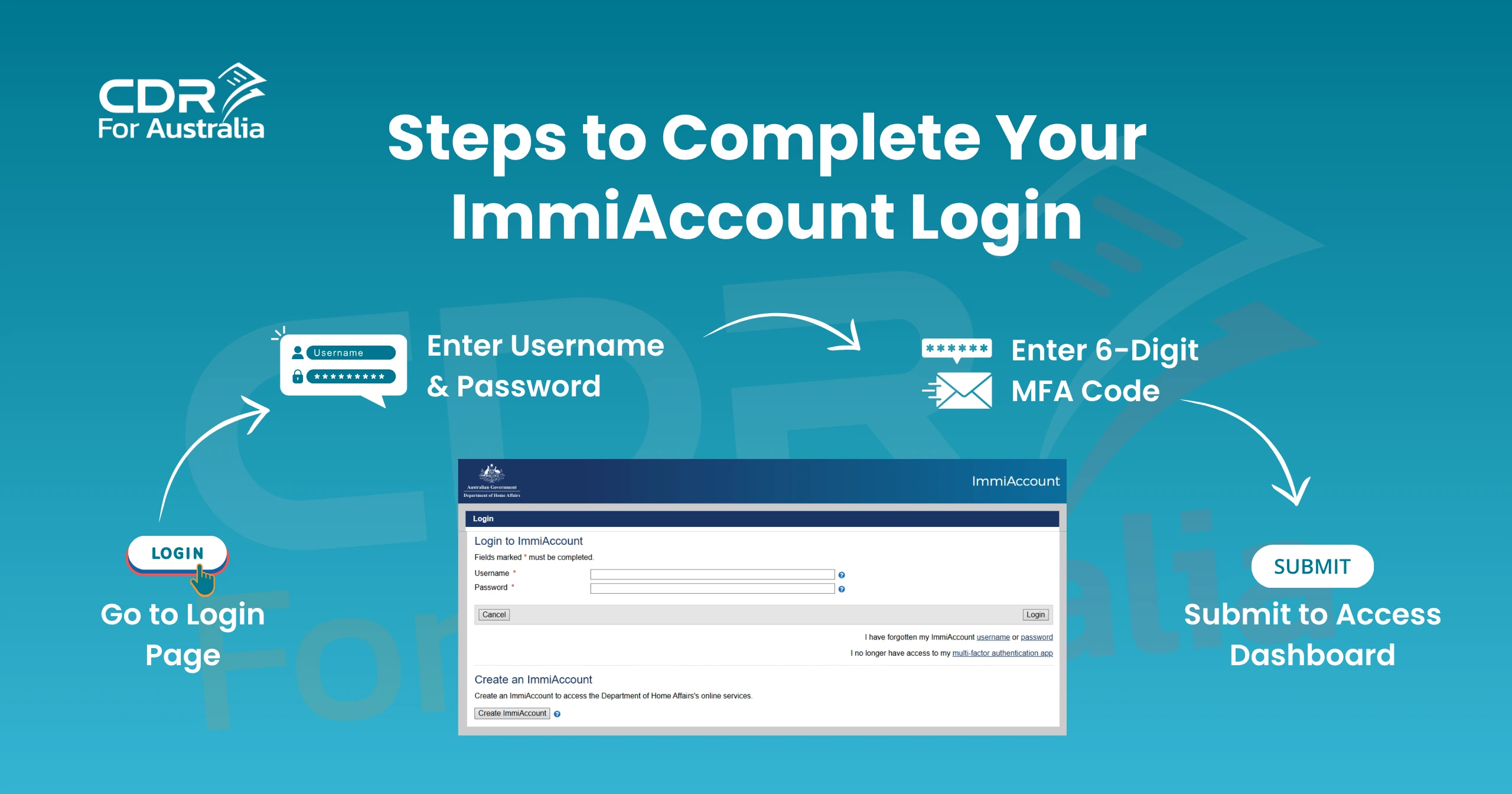
Steps to Complete Your ImmiAccount Login
The login sequence is fixed by the Department, and it doesn’t change based on your visa type. To log in:
- Go to the official login page.
- Enter your username and password, then select ‘Login’.
- Enter the 6-digit code from your authenticator app when prompted.
- Select ‘Submit’ to reach your dashboard.
This process is identical for individual and organisation accounts alike. Keep in mind the MFA code refreshes every 30 seconds, so don’t let it sit too long before entering it. One useful thing to note: if your username or password is incorrect, the system won’t even progress to the MFA step. That’s actually a quick way to narrow down which detail is wrong. It’s also worth always typing the web address directly or using a saved bookmark, rather than clicking through from an email fake login pages are designed to look nearly identical to the real one, and this small habit protects your account.
Setting Up Multi-Factor Authentication for ImmiAccount Login
MFA is compulsory now for every immiAccount Australia login. Once your password checks out, the system asks for a 6-digit code generated by an app on your phone or tablet. It’s an extra layer that confirms you’re really the account holder, even if your password somehow leaked.
Most MFA trouble comes down to a handful of things: a device clock that’s drifted out of sync and produces an invalid code, an authenticator app that got deleted or a phone that got replaced, or a QR code that wasn’t scanned properly the first time around.
If you’ve lost access to the authenticator app entirely, use the ‘I no longer have access to my multi-factor authentication app’ link on the login page. You’ll need your password and correct secret question answers before the system lets you set up MFA again.
Common ImmiAccount Australia Login Problems and Fixes
Most login failures trace back to the same handful of causes. Here’s a quick rundown of what applicants run into most, and what usually fixes it.
Problem | Likely Cause | Recommended Fix |
Login page won’t load | Outdated browser or poor connection | Use an updated version of Chrome, Firefox, or Edge |
Password rejected | Incorrect password or expired session | Use the ‘forgotten password’ link to reset it |
MFA code invalid | Device time is out of sync | Set device date and time to automatic |
Username not recognised | Wrong email or duplicate account | Check for the confirmation email from registration |
Account locked | Too many failed attempts | Wait, then retry, or contact the technical support form |
Working through this before you contact the Department directly saves time. Most immiAccount Australia login problems sort themselves out without needing outside help.
Forgot Username or Password
Losing your login details isn’t unusual, especially if you set up an account months or years before you actually needed it. The Department gives you two separate recovery links right on the login page.
Recovering a Forgotten Username
Select ‘forgotten username’ on the login page and enter the email you used at registration. The system sends your username to that inbox within a few minutes. If nothing shows up, check spam or junk first, since automated emails from the Department sometimes end up filtered there by mistake.
Recovering a Forgotten Password
Select the password recovery link, confirm your registered email, and follow the reset instructions sent there. That reset link is time-limited, so it’s worth finishing the process as soon as the email lands rather than putting it off.
Organisation account holders have one more option. They can ask their Organisation Account Administrator (OAA) to reset a password or MFA setting before raising a formal support request. This route often gets things fixed faster than waiting on a reply from the Department.
ImmiAccount vs VEVO: Key Differences
People mix up ImmiAccount and Visa Entitlement Verification Online (VEVO) fairly often, but they do different jobs, as the table below shows.
Feature | ImmiAccount | VEVO |
Purpose | Apply for and manage visa or citizenship applications | Check the conditions of a visa already granted |
Login required | Yes, with username, password, and MFA | Not always, some checks only need visa grant details |
Used by | Applicants, sponsors, and migration agents | Applicants, employers, and organisations checking visa status |
Typical use case | Lodging a new application or uploading documents | Confirming work rights or visa expiry before travel |
An immiAccount Australia login is what you need to apply for or manage a visa. VEVO doesn’t always need a full ImmiAccount profile, since some checks only need your visa grant details. Knowing the difference saves you from hunting for visa status inside the wrong system.

Looking for expert CDR Writer for Engineers Australia?

Creating a CDR Report may be difficult due to Engineers Australia’s standards and rules ( EA ). Our experienced engineers have assisted many people in obtaining approval for their report from the EA via the use of powerful projects.
How to Check Visa Application Status After Login?
Once your immiAccount Australia login is done, checking an application isn’t complicated. The dashboard lists everything tied to your account, with a current status like Received, Assessment in Progress, Information Requested, or Finalised. Open any application and you’ll see the full history, including messages from a case officer and whatever documents you’ve already uploaded.
If you’re preparing a skilled visa, keep your supporting evidence lined up with what you submitted for your assessment. A Career Episode or technical report from an earlier skills assessment should describe the same projects that show up in your visa application through ImmiAccount. Mismatched details between the two are a common reason applicants get asked for more evidence.
How to Link a Visa to Your ImmiAccount?
Some applicants apply on paper first, or get a visa grant before they’ve ever created an online profile. That visa can still be linked to an ImmiAccount for ongoing management. It’s done from the dashboard, using the option to import or link an existing application with your Transaction Reference Number (TRN) or visa grant number.
Linking an older visa to an active immiAccount Australia login lets you update contact details, respond to requests, and check conditions without filing a fresh paper form. This matters most for holders of long-term visas who need to show current conditions to an employer or an education provider.
Tips for a Trouble-Free ImmiAccount Login
A handful of small habits keep login trouble to a minimum:
- Use an email you check regularly, since every recovery link goes there
- Keep your username and password in a password manager instead of trying to remember them
- Set your device clock to update automatically so MFA codes don’t fail
- Bookmark the official login page rather than searching for it fresh each time
- Log in now and then, even with nothing pending, just to confirm access still works
Applicants running a skilled migration case alongside visa lodgement often want help with the supporting paperwork too. Services like Summary Statement writing or a properly built Statement of Purpose can strengthen an application before it’s uploaded through ImmiAccount, which cuts down the odds of a further-information request.
For a broader look at current sponsorship pathways, the Skills in Demand visa guide explains how sponsorship applications tie into online lodgement. Official guidance on account access sits on the Department of Home Affairs website as well.
Frequently Asked Question (FAQs)
How do I log into my ImmiAccount?
Go to the official login page, enter your username and password, select Login, then enter the 6-digit code from your authenticator app and select Submit.
How do I check my visa status on ImmiAccount?
Log in, open the application from your dashboard, and look at the status field, which shows whether it’s received, in progress, or finalised.
How do I link a visa to my ImmiAccount?
From your dashboard, choose the option to import an existing application, then enter the Transaction Reference Number or visa grant number for that case.
How do I register in ImmiAccount?
Go to the registration page, enter your email, confirm the verification code, choose Individual or Organisation, then set your username, password, and secret questions.
What if I forget my ImmiAccount password?
Use the forgotten password link on the login page, confirm your registered email, and follow the reset instructions sent to your inbox.
Is ImmiAccount the same as VEVO?
No. ImmiAccount is for applying and managing visa applications, whileVisa Entitlement Verification Online (VEVO) checks the conditions of a visa that’s already been granted.
Why does my ImmiAccount login keep asking for a code?
Multi-factor authentication is mandatory for every session now, so a fresh 6-digit code from your authenticator app is needed each time you log in.
Is creating an ImmiAccount free?
Yes, registration costs nothing, though the usual visa application charges still apply once you actually submit a case.
Can I have more than one ImmiAccount?
Individual applicants should only hold one. Organisations may need a separate Organisation ImmiAccount to manage client applications.
What should I do if my MFA app stops working?
Use the ‘no longer have access to multi-factor authentication’ link on the login page, enter your password and secret question answers, then set MFA up again..